
Purble Place 2026: Play Online
Free and Learn How
to Play
Looking for Purble Place in 2026? You can play this old puzzle game online or if that’s not an option, you can go for your Windows PC. This guide shows you how to play, what each mini-game is, and how to start in a safe way.
Download & Install
Comfy Cakes
Characters & Mini-Games
How to Play / Rules
What Is Purble Place and Why Should You Play It?
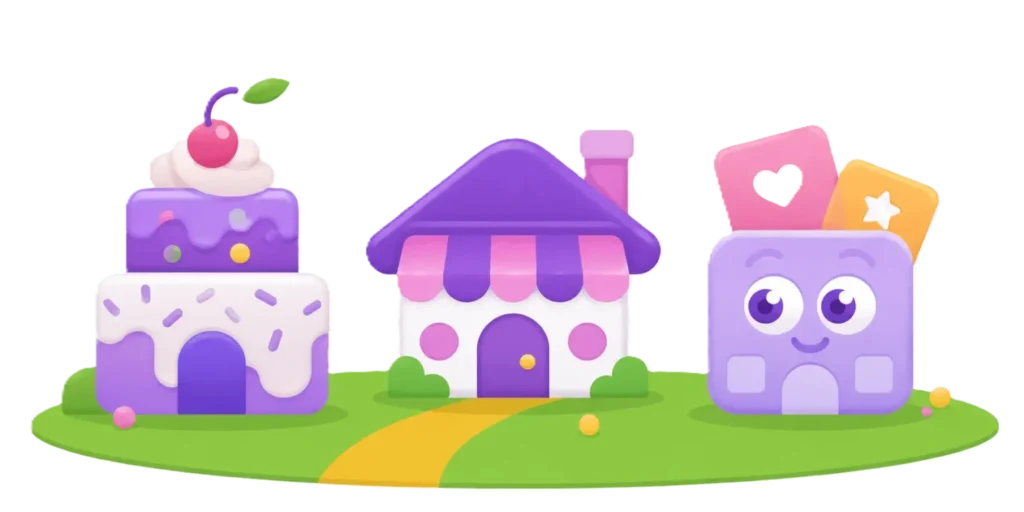
Purble Place (or Purble Place), is a collection of casual puzzle games originally included with Windows Vista and Windows 7. It includes three mini games designed to challenge your memory, observation, logical thinking and following instructions.
Windows 11 is not included with the original game. But, you can try out some newer versions of the browser and other modern releases that have similar games.
Why it’s still popular:
Easy to play:
The fundamentals of the game will be taught in minutes.
Memory practice:
Ability to remember the position of the cards can be improved.
Logic challenges:
There are logic challenges that can be solved using clues to solve character puzzles.
Creative fun:
Make cakes following instructions.
Colourful design and easy rules makes it family friendly.
You do not need advanced gaming skills to enjoy these challenges. Start with the mini-game that sounds most interesting to you.
Purble Place Playing Methods in 2026
There are two ways to play Purble Place: via browser, or by installing a compatible version on a computer, or by playing a modern version on a supported platform. The two choices have their own advantages.
Online Methods
1. Play using a browser.
Open a browser gaming site, choose the game and follow instructions. There are some websites that will allow free play without having to install anything.
2. Play at a game portal.
There are sites like Play-Games.com, which offer a playable game page. Make sure that the game loads properly and that the site is not asking for information you don’t need.
3. Experiment with a contemporary mobile site.
Google Play offers Purble Place – Full Game, a modern game. It contains cake decorating, memory games and dress up activities. This is a different release than the original Windows game.
Offline and PC Methods
1, Use an old Windows version compatible copy.
If there are some legitimate game files from an old computer that you have, you can try to see if these files will play on your current computer.
2. Look at a reputable Windows game package.
A couple of third party packages are available for classic Windows games on some newer computers. Check information about the publisher, source of file and security before installing anything.
3. Get familiar with a contemporary desktop version.
There’s a separate game called Purble Place – Classic Games at Steam. The price it is listed at is $1.99, but the store may list a different price depending on region or if the price changes later.
Note: The original Purble Place is not a default download for Windows 11. Beware of sites that claim to have an official Microsoft installer but don’t have any evidence of this.
How to Play Purble Place Online
To begin playing online Purble Place, it is easy to do so in just a few steps. Once every time the fastest way is a different browser version – you do not need to install the game separately.
Step 1: Select a page that gives you access to a browser game.
Access a site like Play-Games.com. Look at the page information and verify that the page provides the game you are interested in.
Use web security tips:
look for HTTPS in the address bar. HTTPS secures the connection, but it does not mean that all content you download or see in ads are safe.
Step 2: Load Game.
If there is a Play button, press it to begin the game. Wait until the game screen appears and listen for any instructions that are given.
Note:
Some sites will have ads popping up before the game loads, that’s what this does. Do not mistake an advertisement’s Download button for the actual game.
Step 3: Select a mini game.
If your version has those modes, choose Purble Pairs, Comfy Cakes or Purble Shop. All of them provide a unique challenge.
Step 4: Get to know the controls.
Use mouse/touchscreen as appropriate. Click cards, pick ingredients or pick character features, depending on the instructions of the game.
Note:
Some versions of the browser will recreate the original game instead of reproducing all its features. Difficulty and controls may differ from site to site.
After loading, play the game on a low level and play higher levels when you get better.
How to Play Purble Place on Windows 11
While there are options for playing Purble Place on Windows 11, it’s not a native feature of Windows 11. Be careful when picking your installation source.
Step 1: Make sure you have enough game files to play.
Check an older version of Windows or through your computer backups.
Hint:
Do not alter the original file files until you are sure the copy is working. When making any changes to ensure compatibility, back up important files first.
Step 2: Read the installation source.
For classic games, check the publisher’s site and look at their compatibility comments, for a third-party package. When available, verify the download’s digital signature, and use your security suite to scan the file.
Security warning:
Do not use modified installers, unknown extensions, password protected archives from unknown sources or download files that request that you turn off your antivirus software.
Step 3: Only install if you see that the file is present.
If you trust the source, follow the documented instructions provided by the publisher. Avoid running files you don’t know with admin permissions to make the game playable.
Step 4: Play the game.
Start the game and test its display, sound and mouse controls. If it crashes, don’t download another random copy, read the publisher’s troubleshooting information instead.
This is important because it could be more secure and simpler to do than to install old software on a current computer.
How to Play Purble Pairs
Purble Pairs is a memory game in which you find cards and match identical pictures. The objective is to make pairs and remove them from the board.
In step 1, students will study the board.
If you look at the cards and remember where they are when you are turning them over, you will be able to do so.
Step 2: Flip over 2 cards.
Tap on one card and then another. The game removes/marks the pair if the pictures match.
Step 3: Recall mismatching cards.
If the two cards do not match, remember the picture and where it is on the board.
Hints:
Remember to stick to a basic mental map. For instance, recall that a cake is in the upper left hand corner and a hat is near the bottom.
Step 4: Remove the remaining pairs.
Remember what you have just said to choose matching cards. Do not guess when you do know where a picture is located.
The most important thing to remember is to always prioritize accuracy first. Memory will increase at a faster rate as you remember more cards’ positions.
How to Play Comfy Cakes
Comfy Cakes is a cake crafting mini-game that will have you crafting the correct cake per the customer’s order. Attention is required to the requested shape, flavor, frosting and decorations.
Step 1: Read the order!
Look at the cake on the order display. List its needed components and characteristics.
Step 2. Read the production line:
Move the cake around via the controls provided to the appropriate stations. Choose the right cake base, cake filling, cake frosting and cake decorations.
Figure 3: Examine each facet.
Make comparisons between your cake and the order before it is completed.
Tip:
But don’t only concentrate on speed. Even a quick cake with a bad frosting or decoration can not pass the order.
Step 4: Fill the order.
Complete the cake as per the instructions in the game. As the levels increase in difficulty, focus more on the sequence and timing of the actions.
Care and control are rewarded with Comfy Cakes. Get the sequence of production before attempting a best time.
How to Play Purble Shop
Purble Shop is a logic game that helps you figure out which person, who is hidden, has the most similar characteristics to a specific set of conditions. The feedback you get with every guess is used to eliminate possibilities.
Step 1: Review the character options.
Examine its features, including its colours, facial characteristics, and other appearance options.
Step 2: Make your first guess.
Select a combination and play it by pressing the controls of the game.
Step 3: Explore clues.
Take heed to the comments. Use it to determine the areas of your guess that are correct and the areas that need to be replaced.
If you get a clue to a feature that you need to change, you change just that one thing. Tip: Change only the features the clues suggest you change. The puzzle is harder if the features are changed randomly.
Step 4: Focus on the answer.
With each new clue, check off the combinations that are eliminated before finding the right character.
Logical thinking is rewarded at Purble Shop. Take each guess as a learning opportunity about the secret word.
Comparison Table: Choosing the Best Method
There are three different methods for playing Purble Place, depending on what you’re looking for.
| Method | Accessibility | Speed | Convenience | Notes |
|---|---|---|---|---|
| Browser game | Most modern browsers | Usually fast | Very high | Check site safety and game features |
| Older Windows game files | Compatible PC | Depends on setup | Medium | Requires legitimate files |
| Third-party game package | Compatible PC | Depends on download and setup | Medium | Review the source carefully |
| Modern Steam release | Supported desktop systems | Requires installation | High after setup | Separate game, listed at $1.99 |
| Modern mobile version | Supported mobile devices | Usually quick after installation | High | May include ads and in-app purchases |
Browser games may offer free access, but features and advertisements vary. The Steam price and mobile app terms also depend on their current listings.
So, a reputable browser version is the best method because you can start quickly without installing old software or paying for a separate desktop release.
How to Fix Common Purble Place Problems
Step 1: The game will not load.
Refresh the page and check your internet connection. Try an updated browser if the game still fails to open.
Step 2: The screen freezes.
Close unused tabs and reload the game. If the problem continues, try another reputable browser game page.
Step 3: The controls do not respond.
Click inside the game window first. Some games require focus before they accept mouse or keyboard input.
Step 4: The game looks stretched.
Try full-screen mode or adjust your browser zoom. If the game uses a fixed display size, full-screen mode may not fill every part of your monitor.
Step 5: A download triggers a security warning.
Stop the installation and investigate the warning. Do not turn off your antivirus just because a download page tells you to do so.
These checks can solve common problems without exposing your computer to unnecessary risks.